Modbus: where it runs and how to get its data into MQTT and Home Assistant
Modbus sits in almost every electrical panel: in meters, relays, drives and sensors. Here is how it works, why it can be awkward, and how ELX-MODBUS delivers its data to MQTT — where Home Assistant, Node-RED and openHAB are waiting for it.
What Modbus is
Modbus is a data-exchange protocol that Modicon published in 1979 for its programmable controllers. It is open, simple and licence-free, so over four decades it has become the common language of industrial electronics: devices from thousands of manufacturers speak it.
It works as request and response. A line has one master (a client, in current terminology) and up to 247 slave devices, each with its own address. The master asks, the device answers; a slave never transmits on its own.
| Data type | What it holds | Access |
|---|---|---|
| Coil | A single bit: a relay, an output, an enable flag | Read and write |
| Discrete Input | A single bit: an input, a limit switch, an alarm | Read only |
| Input Register | A 16-bit number: a sensor measurement | Read only |
| Holding Register | A 16-bit number: a setpoint, a mode, a parameter | Read and write |
Physically Modbus comes in two flavours. Modbus RTU is binary frames over a serial line, usually RS-485: twisted pair, up to 1,200 metres and dozens of devices on one cable. Modbus TCP carries the same data over Ethernet on port 502. In between sits RTU-over-TCP: unchanged RTU frames sent over the network through an Ethernet ↔ RS-485 converter.
Where you find Modbus
It is easier to list where it is absent. In practice you will almost always find Modbus in the electrical panel, the boiler room and the ventilation plant:
| Area | Devices |
|---|---|
| Energy metering | Electricity, heat and water meters, power analysers |
| Climate | Boilers and their controllers, air-handling units, air-conditioner adapters, heat pumps |
| Electrical | Relay modules, dimmers, lighting controllers, DALI gateways |
| Sensors | Temperature, humidity, CO₂, pressure, leaks |
| Industry | Variable-frequency drives, PLCs, 0–10 V and 4–20 mA I/O modules |
| Power | Solar inverters, battery storage, UPS units |
For a smart home this means something simple: the most reliable and affordable panel hardware is industrial, and it speaks Modbus. Automation systems — Home Assistant, Node-RED, openHAB — understand MQTT best.
Where the difficulty lies
The protocol itself is simple. The trouble is that Modbus carries only register numbers and raw values, and what those values mean is known only to the device datasheet. To read a voltage from a meter you have to find out:
- which register holds it, and whether the manufacturer counts addresses from zero or one;
- its type — 16 or 32 bits, integer or floating point, signed or unsigned;
- the word and byte order of the 32-bit value;
- which multiplier turns a raw 2305 into 230.5 V;
- the baud rate, parity and bus address the device uses.
Usually all of this ends up as a script per device. A site with twenty devices means twenty scripts, each with its own bugs. They have to be started, restarted, kept from talking on the same bus at once, and rewritten whenever a model changes.
Why MQTT
MQTT is a publish–subscribe protocol. Devices publish values to named topics such as home/boiler/temp, and anyone who needs them subscribes through a broker. The sender does not need to know the receivers, and the receiver does not need to know how the device works.
Home Assistant, Node-RED, openHAB, ioBroker, Grafana via Telegraf and your own code in any language all handle MQTT out of the box. Once Modbus data reaches MQTT, everything else can use it.
Modbus devices
Meters, relays, sensors, boilers and drives on RS-485 or Ethernet
ELX-MODBUS
Polls the bus, turns registers into values, accepts commands
MQTT broker
Home Assistant, Node-RED, openHAB and your own code
How ELX-MODBUS does it
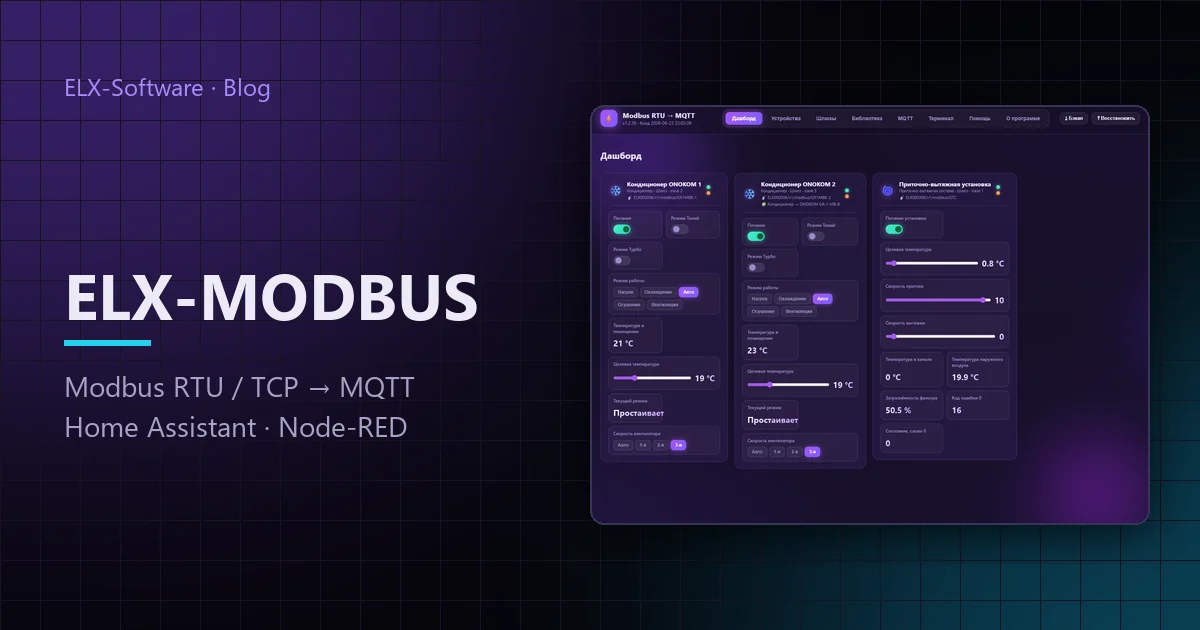
ELX-MODBUS is a Linux service that replaces that pile of scripts. It polls Modbus devices, turns registers into meaningful values, publishes them to an MQTT broker and accepts commands back. Everything is configured in the browser; there are no configuration files to edit.
- Gateway. The physical path to the bus: Modbus TCP, RTU-over-TCP through a converter, or a serial port such as
/dev/ttyUSB0with baud rate and parity. - Device. A template from the library or your own register map, plus the bus address and an MQTT prefix.
- Broker. Address, user name and password — and the values start flowing into topics.
A raw register becomes a value through raw × multiplier + offset, taking the type, word and byte order and bit mask into account. The result is published to {base}/{prefix}/{key}:
home/livingroom/ac/temp          → 24.5
home/livingroom/ac/mode          → cooling
home/livingroom/ac/set_temp      → 22.0
home/livingroom/ac/set_temp/set  ← 23.0   (command: write to the register)
Writable channels get a command topic — {topic}/set by default. A command jumps to the front of the polling queue and is written at once instead of waiting for the next cycle, so a switch in the UI responds without delay.
The device library: registers already mapped
What saves installers and programmers the most time is the library of ready-made devices. Each template already has its register map, types, multipliers, enumerations and widgets built from the datasheet. Adding a known device means picking it from the list and entering its bus address: a couple of clicks instead of an evening with the documentation.
| Group | What the library covers |
|---|---|
| Climate | Air-conditioner adapters, boiler controllers with OpenTherm and eBus, air-handling units |
| Relays | 6- and 16-channel relay modules with command registers |
| Sensors | Temperature and humidity, multi-sensors, 1-Wire probes |
| Lighting | Dimmers, LED controllers, DALI gateways |
| Analogue | 0–10 V and 4–20 mA output modules |
If a device is not in the library, you describe it yourself: every field has a hint, and the exchange terminal shows raw request and response frames. It makes the real answer obvious — a wrong address, a swapped word order, or exception 02, “no such register”.
The whole site configuration — gateways, devices and registers — exports to a single JSON file. A site set up once can be copied to the next identical one in a minute.
Example: the data in Home Assistant
Topics follow predictably from the settings, so you can write the Home Assistant configuration before the device is even wired to the bus. The temperature sensor and the air-conditioner setpoint from the example above look like this:
mqtt:
  sensor:
    - name: "Living room temperature"
      state_topic: "home/livingroom/ac/temp"
      unit_of_measurement: "°C"
      device_class: temperature
  number:
    - name: "AC setpoint"
      state_topic: "home/livingroom/ac/set_temp"
      command_topic: "home/livingroom/ac/set_temp/set"
      min: 16
      max: 30
step: 0.5Getting started
ELX-MODBUS installs as a single .deb package on Debian, Ubuntu and Raspberry Pi OS — for amd64, arm64 and armhf. A server works, and so does a single-board computer inside the panel.
sudo apt install ./elxmodbusmqtt_*_amd64.deb
systemctl status elxmodbusmqtt
# web interface: http://<address>:8080
If you do not have an MQTT broker yet, any standard one will do — for example ELX-MQTT Broker. Packages are on the download page; gateways, registers and topics are covered in the ELX-MODBUS documentation.