A terminal for COM ports, TCP and SSH: ELX-Terminal instead of HyperTerminal
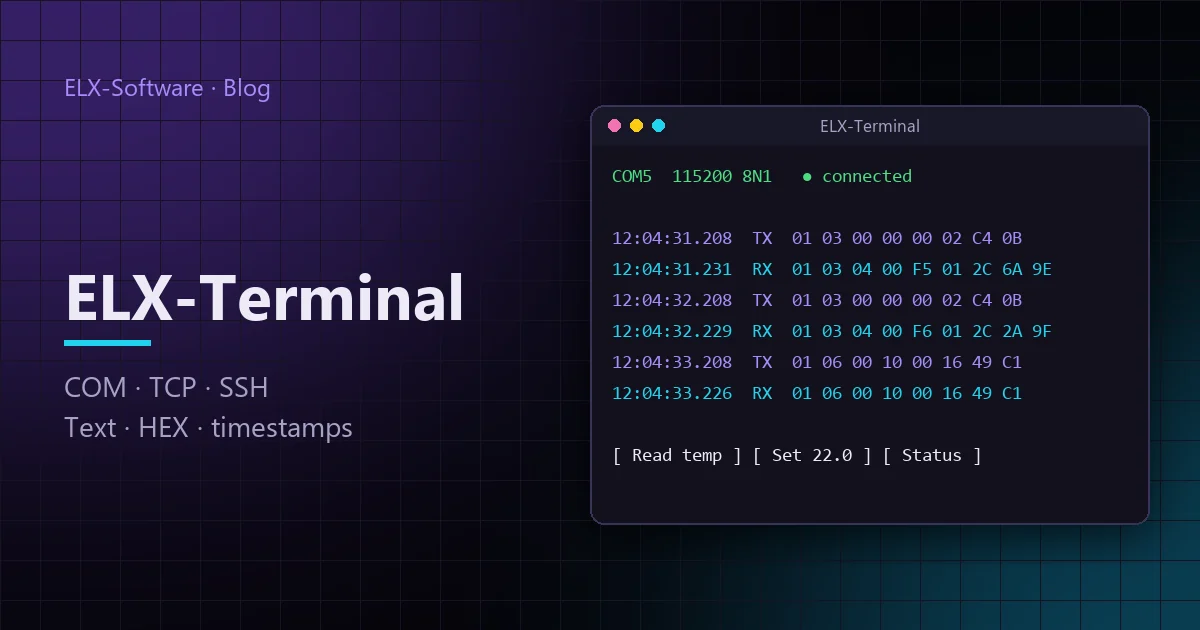
HyperTerminal once shipped with every copy of Windows, and people used it to set up modems, controllers and instruments. ELX-Terminal is a terminal program built on the same idea for today’s work: COM ports, TCP and SSH tunnels in one window, a HEX dump, timestamps and a clean modern interface.
Why a terminal in 2026
Controllers, meters, modems, GPS receivers, RS-485 modules and development boards still talk over a serial port or a plain TCP socket. To configure such a device, check an answer or find a protocol bug, you need a program that shows the exchange exactly as it is — byte by byte.
HyperTerminal was dropped from Windows back in the Vista days. PuTTY handles SSH very well and can open a COM port, but it has no hexadecimal view, no timestamps and no stored messages. And the device is more and more often not on your desk but at a remote site behind an SSH gateway. That is why we built ELX-Terminal.
Four kinds of connection in one window
Each connection opens in its own tab, and they all run at the same time:
| Connection | When you need it |
|---|---|
| COM port | A device on RS-232, RS-485 or a USB adapter: controllers, meters, modules, boards |
| TCP client | A device or service is listening: an Ethernet ↔ RS-485 converter, a network controller or a single-board computer running a serial-to-TCP gateway |
| TCP server | The device calls you; accepts several clients, sends to all of them or to the latest |
| TCP over SSH | A device on a remote network reachable only through an SSH gateway |
For COM ports it has everything you need in practice: a port list with descriptions (you can tell a CH340 USB adapter from a built-in port at a glance), speeds up to 3,000,000 baud, parity, stop bits, flow control, manual DTR and RTS, sending BREAK, and CTS, DSR, DCD and RI line indicators. Speed and parity change on the fly without reopening the port.
An SSH tunnel without the command line
The usual way to reach a device on a remote network is to bring up a tunnel by hand:
plink -ssh -N -L 1824:192.168.1.226:1824 user@gatewayIn ELX-Terminal this is a tab of its own: the gateway on the left — host, user, password or OpenSSH key — and the device address and port below. The session runs straight to the target over the SSH channel. If other programs should use the same tunnel, you can also open a local port.
See everything that arrives
- Text in UTF-8, Windows-1251 or ASCII.
- HEX dump — for binary protocols such as Modbus RTU, or to find the one byte that is wrong.
- Frame decoding for a supported protocol, with field names.
- Millisecond timestamps — the answer to “did the device reply within the timeout?”.
- Sent and received data in different colours.
Sending and quick commands
A message can be typed as text or as hexadecimal bytes, with CR, LF or CRLF appended, and recalled from history with the arrow keys. Commands you send all the time live on a panel of quick buttons: drag them to reorder, and the edit dialog shows the exact bytes before anything is sent — handy for commands with a checksum.
A built-in speed test measures the request–response round trip and draws a chart. It lets you compare a device on a direct line with the same device through a converter and a network — with numbers rather than impressions.
Your workspace is kept
Close the program and open it again — the same tabs with their connection settings, the quick commands, the theme, and the window size and position are all back. For an engineer who works with the same devices every day this saves more time than it seems.
Where to get it
ELX-Terminal runs on 64-bit Windows 10 and 11 and installs with a regular installer, available on the download page. How to set up each connection type and what to check when the line is silent is covered in the documentation.