A download manager for Windows: ELX Download Manager instead of IDM
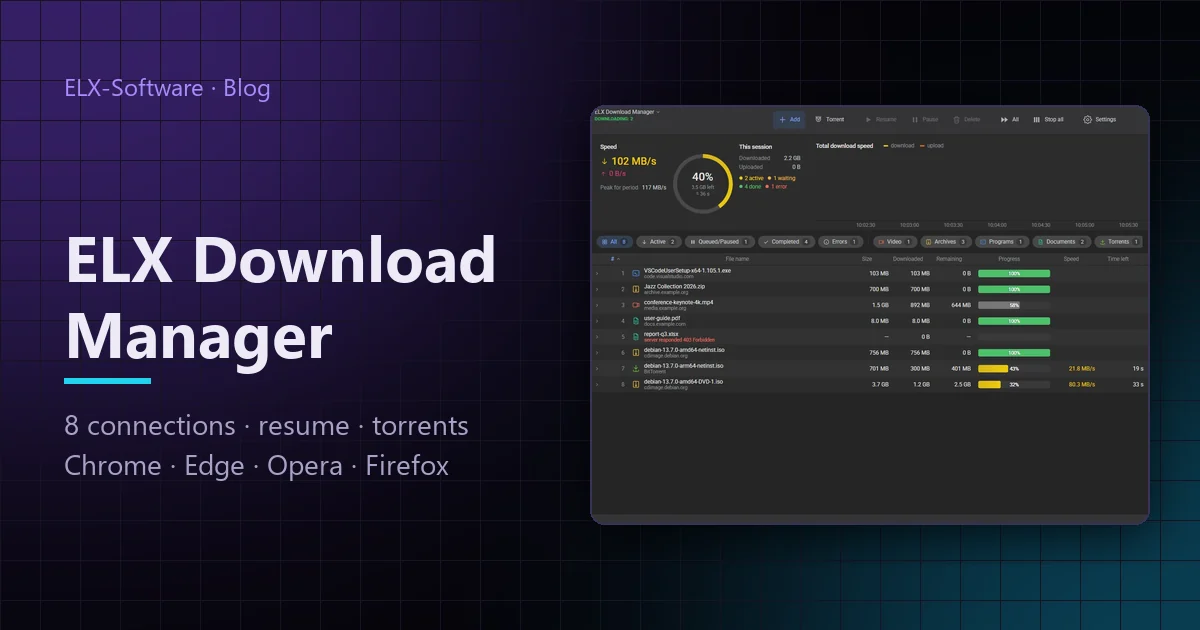
A browser downloads a file over one connection and often starts over when the link drops. A download manager splits the file into parts, fetches them in parallel and continues from the same place after a pause, a lost network or a restart. ELX Download Manager does it for free, handles torrents and takes over downloads from your browser together with your login on the site.
Why a download manager when you have a browser
For small files the browser is enough. A four-gigabyte system image, a game installer or an archive of photos is another story: one connection hits the server's per-connection limit, and a break in the middle often means starting again. Internet Download Manager has solved this for twenty years, but it is paid and has hardly changed.
ELX Download Manager is a free program with the same idea, built from scratch: several connections per file, reliable resume, torrents in the same window and extensions for every popular browser.
Eight connections and honest resume
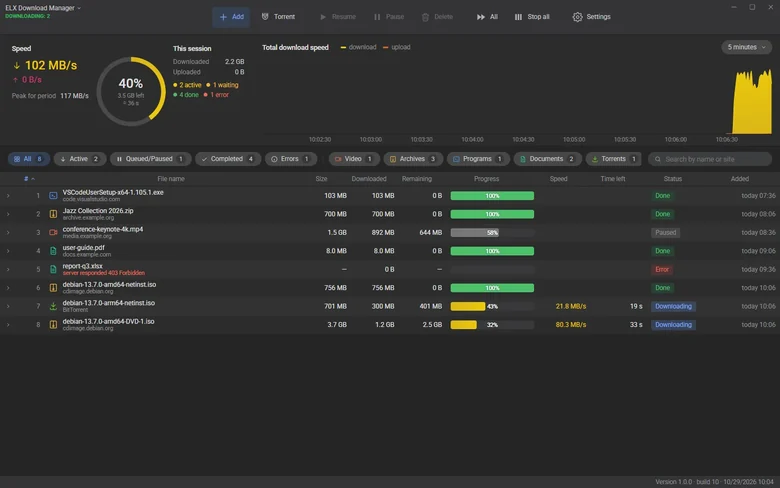
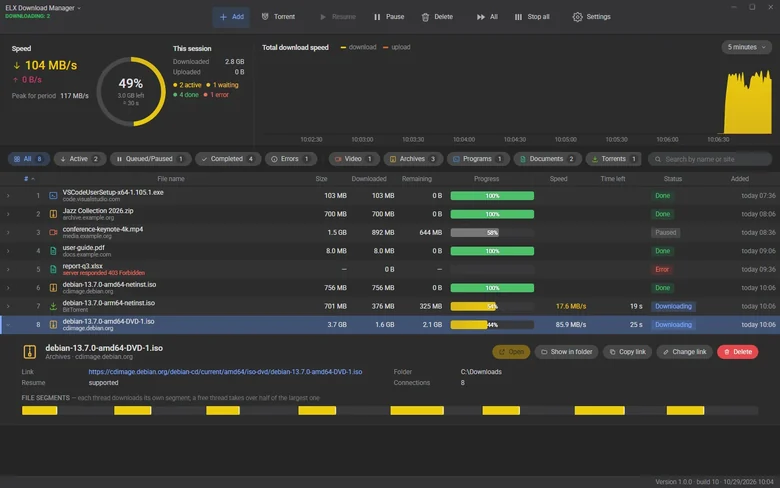
The first request learns the file size and whether the server can resume. If it can, the file is split into eight parts and each part comes over its own connection straight into one file on disk. A connection that finishes early takes half of the slowest part, so a download does not hang on its last percent.
- Pause and restart. The state of every part is saved; after a restart the download continues from the same byte.
- A dropped link. Every connection retries on its own, and one that receives data resets its retry counter.
- A server that limits connections. When it answers 429 or 503, extra connections step aside and the working ones finish the file.
- An expired link. For sites with temporary addresses there is Change link: paste a new one and the downloaded part is kept.
Browser downloads — even behind a login
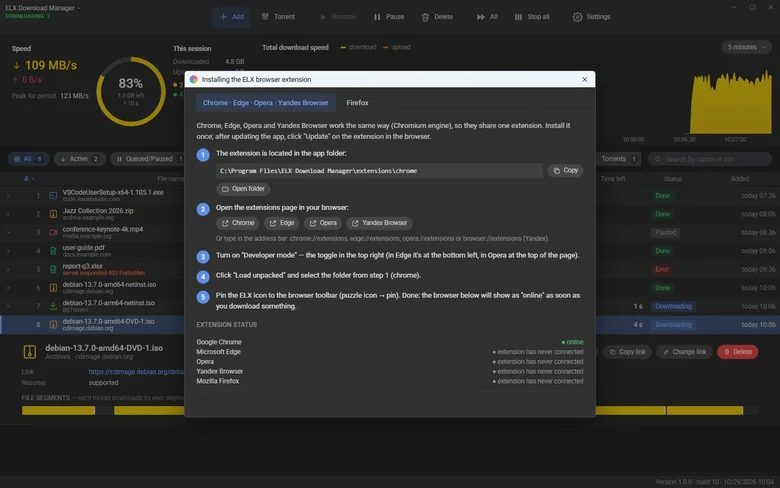
The ELX extension works in Chrome, Edge, Opera, Yandex Browser and Firefox. When you click Download, it pauses the browser download and passes the browser's real request to the program: cookies, the Authorization header, the page address and, for forms, the POST method and the form data. Files from a personal account, a cloud drive or a file host that need a login download too.
The program helps to install the extension: menu → Browser extensions opens a step-by-step guide with buttons that open the extensions page of the right browser and the extension folder, and shows which browsers are already connected.
Torrents and proxy in one program
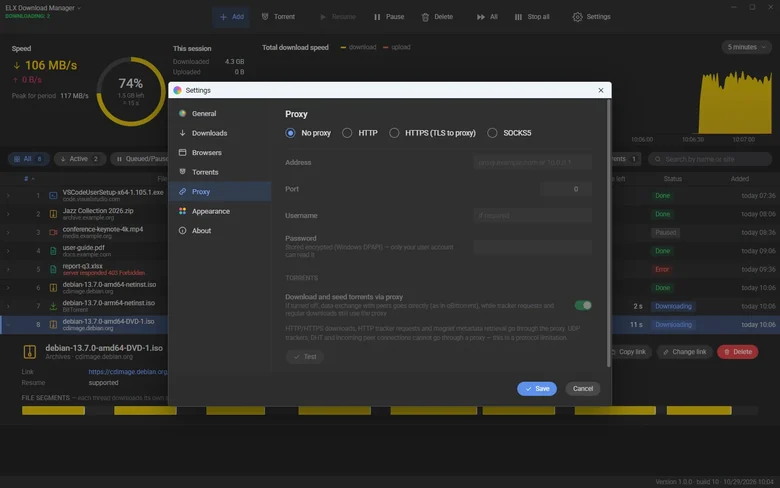
Torrent files and magnet links open in the same table as normal downloads. Before a torrent starts you can pick the files you need; while it runs you see peers, seeds and upload. Finished files are released at once, so you can move or delete them without closing the program.
For proxies there are HTTP, HTTPS and SOCKS5 with a login. Normal downloads and tracker requests go through the proxy, and peer traffic has a separate switch, as in qBittorrent: through the proxy or directly.
A window per download, or silent mode
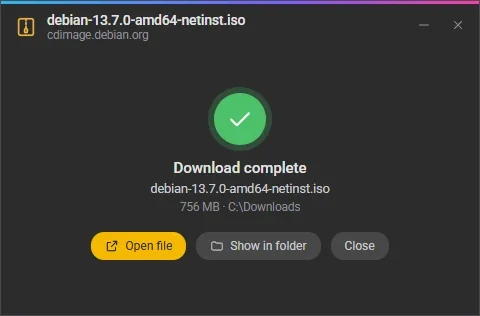
Every download can be followed by a small window with its graph and speed. When it finishes, the window offers Open file, Show in folder and Close — Enter opens the file, Esc closes the window. If you do not want windows, turn on silent mode: everything downloads in the main program in the tray, and the tray icon shows the total progress.
Where to get it
ELX Download Manager runs on 64-bit Windows 10 and 11, with the interface in six languages. The installer is on the download page — install it for yourself without admin rights or for all users. The program finds new versions by itself and installs them in one click.